



.avif)



%20(1).png)
.png)

February 12, 2026
Securing Your Data for the Age of AI: Lessons from Our Microsoft Purview Journey
In the latest episode of our podcast The Innovation Circuit, we unpacked what we learned from implementing Microsoft Purview sensitivity labelling and data protection, both internally and with our customers. The journey wasn’t always smooth, but the lessons were invaluable. Here’s what we learned.
The rise of generative AI has fundamentally changed how organisations think about data security.
When Microsoft 365 Copilot entered the picture, it brought enormous opportunity but also a very real wake-up call. Overnight, AI gained the ability to query across emails, documents, SharePoint sites, Teams chats and OneDrive files. For organisations without strong data governance in place, that capability can quickly become a risk.
At Theta, we had already started our data protection journey. But Copilot accelerated everything.
Why Copilot changes the Data Security conversation
Like many organisations, Theta was excited about Microsoft Copilot. But as Head of Cyber Security, I also felt a degree of apprehension.
Copilot doesn’t just surface information users already know how to find, it can uncover content buried deep in SharePoint sites or legacy folders that no one has looked at in years. If that content isn’t properly classified or protected, AI will happily serve it up to anyone with access.
That’s why one of the key outcomes of our Microsoft 365 Copilot Readiness Assessment (which we now offer to other organisations) was the need to formally implement data sensitivity labelling using Microsoft Purview.
What is Data Sensitivity Labelling (really)?
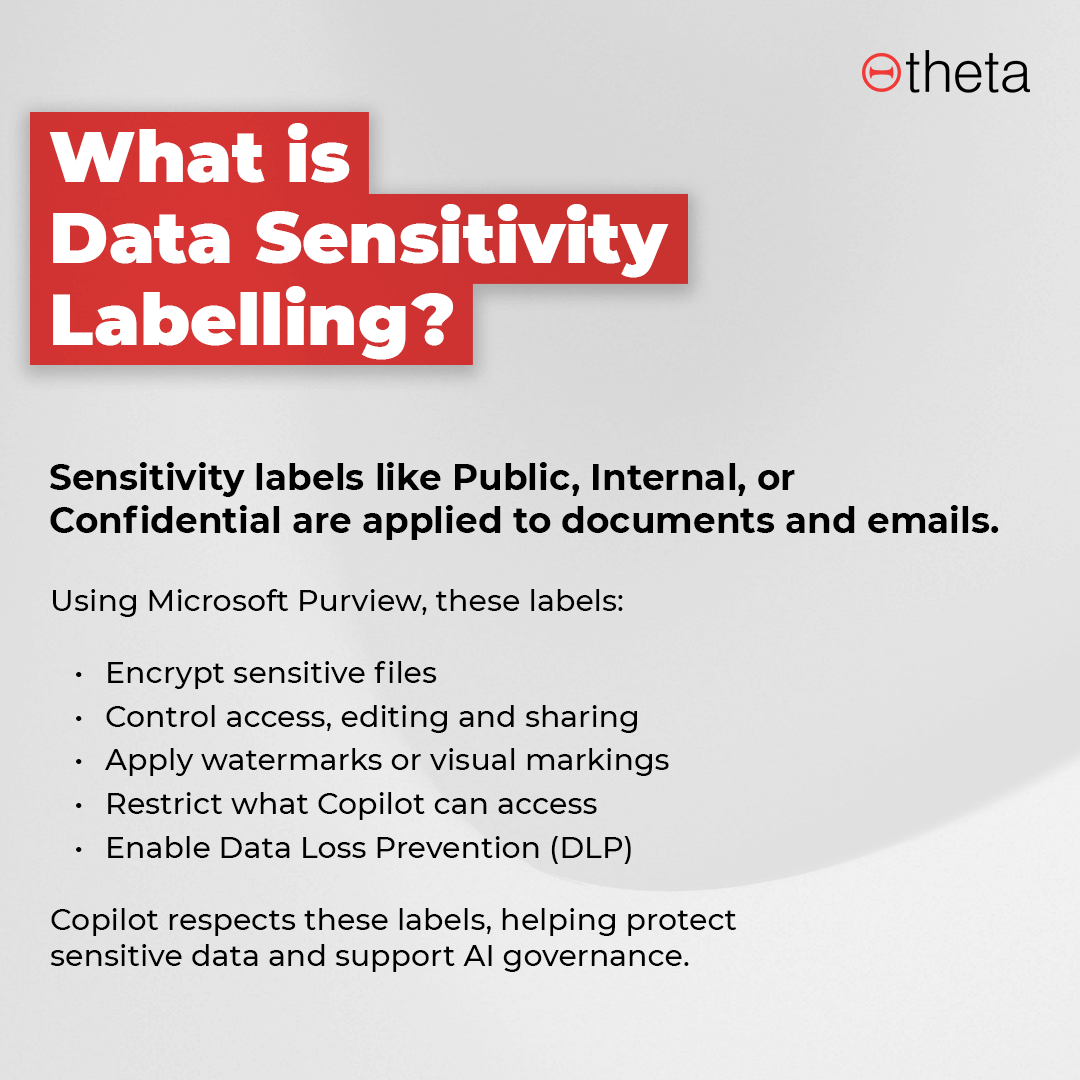
At a surface level, sensitivity labels appear as simple tags like Public, Internal or Confidential on documents and emails. But behind the scenes, they do far more.
Using Microsoft Purview Information Protection, labels become part of a file’s metadata. Once applied, either manually by users or automatically by policy, they allow organisations to:
- Encrypt files based on their sensitivity
- Restrict who can access, edit or share content
- Apply watermarks or visual markings
- Control how data can be used by Copilot
- Enable downstream protections like Data Loss Prevention (DLP)
Crucially, Copilot respects these labels. If a document is marked confidential, Copilot can be prevented from accessing or surfacing it even if the user technically has access to the file.
In other words, labels are the foundation that makes AI governance possible.
The real drivers for organisations getting started
Across our customers, we see three consistent drivers for data classification and protection:
- AI adoption
Organisations want the benefits of Copilot, but not at the cost of exposing sensitive data.
- Regulatory compliance
Requirements such as the NZ Privacy Act, GDPR, or industry-specific regulations demand stronger control over sensitive information.
- Data governance visibility
Many organisations simply don’t know what data they have, where it lives, or how it’s being used.
Sensitivity labelling helps answer all three.
Most of the work happens before you touch the technology
One of the biggest misconceptions about Microsoft Purview is that it’s primarily a technical exercise.
In reality, the hardest part is organisational, not technical.
Before implementation, organisations need to answer questions like:
- What types of data do we have?
- Who needs access to it and who doesn’t?
- How is data shared internally and externally?
- Do different departments need different rules?
- How many classification levels do we really need?
A finance team sending invoices has very different requirements to a legal team managing contracts, or an executive team handling board papers. Getting clarity on these scenarios upfront is critical.
The Purview configuration itself is relatively straightforward but it will only be as good as the policy decisions behind it.
Lessons learned from going live
When we deployed sensitivity labelling at Theta, we learned some important lessons quickly.
1. Not all “confidential” is the same
Initially, we encrypted all confidential documents. That sounded sensible until our customers couldn’t open files we sent them.
As a consultancy, external sharing is core to how we operate. We soon realised we needed different types of confidential labels:
- Confidential – Internal (encrypted, restricted)
- Confidential – Customer (clearly marked, but shareable)
That distinction made all the difference.
2. Clarity beats complexity
We originally created many department-specific labels — board, executive, legal and more. In practice, this created unnecessary complexity and additional group management overhead.
Our advice now: keep the framework as simple as possible.
Expose only the labels users actually need and make their purpose clear through training and naming.
3. PDFs are trickier than you expect
Labels and encryption travel with documents even when saved as PDFs.
This led to several surprises:
- Encrypted PDFs can only be opened in supported tools (such as Microsoft Edge)
- PDFs can’t yet be previewed in Teams when labelled
- “Print to PDF” doesn’t preserve classification, users must “Save as PDF”
These nuances matter because even small workflow changes can frustrate users and slow adoption.
4. Test everything, especially business-critical processes
One customer learned this the hard way when a new label prevented customers from opening invoices at month-end.
The lesson? Always test policies with a controlled pilot group before broad rollout. Where possible:
- Use a UAT tenant
- Or deploy policies to a small Entra ID group first
- Validate third-party systems that generate or interact with Office documents
User choice vs auto-labelling
There’s no one-size-fits-all approach.
At Theta, we prompt users to apply labels themselves, trusting them to understand their content. Some customers prefer auto-labelling, particularly where users are less technical or where large volumes of legacy data exist.
Many organisations land on a hybrid model — user-applied labels for active documents, with automated policies for archived or historical data.
Co-authoring, label changes, and governance controls
A few other critical considerations:
- Enable co-authoring before deploying labels, or collaboration will grind to a halt
- Restrict who can downgrade labels, and require justification when they do
- Train users early, and communicate often, you can’t over-communicate change
Technology alone won’t solve governance challenges. Adoption depends on people understanding why the change matters.
What comes next: Data Loss Prevention (DLP)
Once labels are in place, organisations can layer on Data Loss Prevention.
DLP allows you to:
- Prevent certain labelled content from being emailed externally
- Warn users before they share sensitive data
- Control what Copilot can access
- Run policies in simulation mode before enforcing them
Simulation is key. DLP misconfigurations can have serious business impact, so seeing what would happen, without blocking anything, is invaluable.
No two organisations are the same
Perhaps the most important takeaway from our journey is this: There is no single “correct” way to implement Microsoft Purview.
Two organisations may face the same regulations and use the same tools yet work in completely different ways. Successful data protection strategies are tailored, grounded in how people actually work, not just how policies look on paper.
With the right planning, testing and communication, sensitivity labelling and Purview can become powerful enablers allowing organisations to embrace AI confidently, without compromising security.
If you’re exploring Copilot or looking to strengthen your data protection posture, Theta’s Copilot Readiness Assessment can help you identify gaps and prioritise what matters most.
Watch the full podcast: The Innovation Circuit EP 9: A guide to data protection with Microsoft Purview during the AI revolution
Tune into to all episodes for more insights:


Prepare for Microsoft 365 Copilot with our readiness assessment
Find out more and get in touch
Related Posts

January 22, 2026
Watch Now — The Innovation Circuit EP 9: A guide to data protection with Microsoft Purview during the AI revolution
In this episode, we’ll be discussing how to ensure your organisation’s sensitive data remains secure and confidential with Microsoft Purview.
.png)
October 31, 2023
3 Quick Takeaways From Cybersecurity Awareness Month
October was jam-packed with cyber security info, with plenty of resources shared about how to stay safe online as technology evolves. In the same breath, it can be overwhelming to soak in all the information in just one month. So we asked our Head of Cyber Security, Liz Knight, to summarise her three key takeaways from Cybersecurity Awareness Month for your business to consider.